
Introduction
In modern times, any library or framework such as React, Vue, etc., has made far-reaching alterations to the mindsets of developers regarding UI updates with the introduction of the concept of the Virtual DOM (Document Object Model). The Virtual DOM, at its base, is an abstraction: an in-memory representation of the real DOM. From there, libraries carry out the manipulation of this virtual copy and calculate the minimal changes that have to be made in order to batch updates and only apply what is really required to the actual DOM. This process increases rendering efficiency, decreases performance bottlenecks, and allows developers to write UI with more predictable and maintainable behavior. As applications grow complex, it becomes critical to understand why and how the Virtual DOM improves performance.
Beginners would find the Virtual DOM to be somewhat of a black box, while the more experienced among us would have confidently put it at the back of the head. Remember always that the advantages of the virtual DOM cannot be diminished. Fewer layout thrashing, lesser direct DOM actions, and fast diffing algorithms. This article will look under the hood of the Virtual DOM, list some of the performance advantages gained from it, confront some of the myths surrounding it, and present some best practices to apply it appropriately. By the end of the article, the reader should understand why the Virtual DOM forms the basis of many high-performance frameworks that power responsive and scalable front ends.
1. How the Virtual DOM Works
The Virtual DOM: Representation and Diffing Process
The idea of the Virtual DOM is straightforward: it is a lightweight copy of the actual DOM, and the representation is stored in memory as JavaScript objects. In the case of changes to a component’s state, an update of the Virtual DOM representation of the component tree would happen in the UI framework (React, etc.) for all practical purposes. This updating process would be blazingly fast because of in-memory data structure manipulations and not through slow, heavy-handed browser operations. After the creation of the new Virtual DOM, it is compared with the previous state (or “old” Virtual DOM) using a custom-designed algorithm. The result of the diffing is to get the minimal steps or changes that can obtain the desired new Virtual DOM from the old.
The diffing step allows the framework to determine precisely what needs to be changed in the real DOM—be it text nodes, attributes, insertions, deletions, or even child re-ordering. Only those specific modifications on the DOM will work in batches to complete other necessary updates by combining them as one. In stark contrast, naive methods manipulating the DOM directly may trigger a majority of state changes to issue cascading, unnecessary reflows and repaints. The Virtual DOM abstraction is efficient and predictable when dealing with complex UIs, thus providing a performance edge for larger, more dynamic user interfaces.
Batching and Optimizing DOM Updates
Smartly batched updating of the different Doms is another significant aspect of the Virtual DOM performance benefits. Rather than trying to apply every transformation as independent changes, which leads to thrashing of the layout and holding up performance, the Virtual DOM groups all the changes and applies them at the close of the diffing phase. When several state changes and their differences in rendered UI are added to the virtual DOM during component updates, for example, the framework updates the actual DOM, usually batching changes so that the browser performs fewer reflows and repaints, only after computing the diff.
As far as batching goes, it makes for an even more consistent UI: it keeps from having the odd intermediate render glitches or flickers that might occur when each state change updated the dom immediately. Some frameworks even defer these updates through things like requestAnimationFrame so that the changes occur in concert with browser paint cycles. Overall, that optimally synchronized activity between the Virtual DOM diffing and the batched real DOM updates generally keeps performance up, even as UI complexity grows: smoother, more responsive experiences for users.
2. Reducing Layout Thrashing and Repaints
Understanding Layout Thrashing and Its Costs
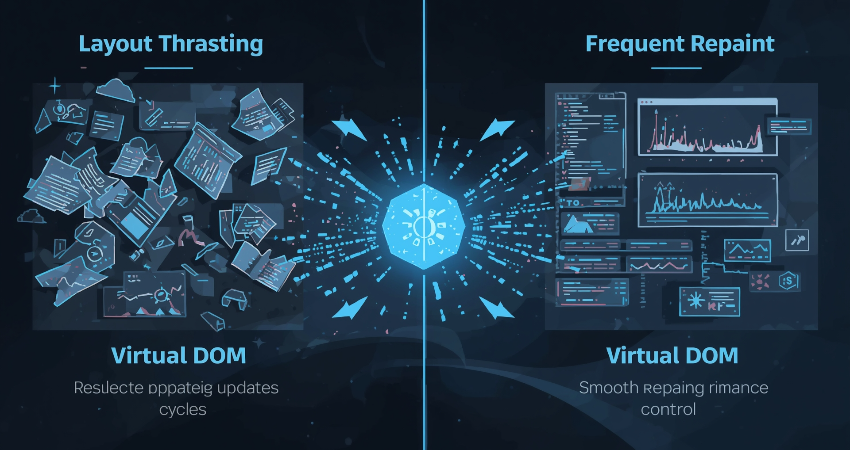
Layout thrashing happens when the reading and writing to the DOM are so inefficiently interleaved that they cause the browser to force synchronous calculations of the layout-the most common situation would be reading layout-related values, for example, dimensions of an element, right after writing an element (i.e., setting styles). These forced layouts do not only stop any JavaScript execution but create delays in frame rendering, much to the displeasure of users. Whenever the developers directly manipulate the DOM without any considerations for the Virtual DOM, especially from inside an event handler or within a loop, they induce multiple layout calculations and, therefore, create janky UIs and poor performance.
On the other hand, the Virtual DOM does not link any logic with supposed direct DOM operations. All of the state and component logic takes place against the Virtual DOM; there are no real layout calculations when these operations are being carried out. After diffing, only the necessary updates are sent to the real DOM, and they are also reordered or merged in such a way that layout reads and writes are grouped instead of interleaved. This lessens unnecessary layout thrashing, therefore minimizing computational costs and enabling smoother animations, transitions, and scrolling-all key performance factors, especially on lower-powered devices.
Minimizing Repaints with Smart Virtual Updates
A repaint occurs when a style changes but the structure-layout remains as is. Less heavy than a reflow, repaint still tends to burden performance. Virtual DOM prevents needless repaints by not updating nodes when they have not changed. In the diffing, for instance, if a text node or some attribute in the previous Virtual DOM stays the same as in a new Virtual DOM, then there is no corresponding real DOM operation needed—thus there is no triggering of repaint.
More so, because the Virtual DOM tracks what exactly changed down to individual attributes or node content, it can save quite a large operation of clearing an entire subtree and then re-inserting it. This means that small, targeted repaints occur. The most useful area of this is around animations, list rendering, or elements whose values are changing quickly live such as news feeds, where even a minimal inefficiency could bring quite substantial delay in responsiveness.
3. Virtual DOM and JavaScript Engine Optimizations
Leveraging Modern JavaScript Engine Efficiencies
Creating and comparing JavaScript objects are Virtual DOM operations carried out in the JavaScript engine, which have become very efficient over the years. V8 (in Chrome) and SpiderMonkey (in Firefox) optimize in-memory operations using hidden classes, inline caching, JIT compiling, and fine-tuning of garbage collection. The optimizations that these engines provide directly benefit virtual DOM diffing: comparing simple objects, traversing the tree logic, and calculating the minimal patch are all carried out at speed, courtesy of modern engine wizardry.
On the contrary, actual DOM operations mean crossing that boundary from JavaScript to the browser’s internal, slow realm of updating the DOM tree, recalculating CSS, and scheduling reflows. By allowing the Virtual DOM workflow to minimize that crossing, UI updates are sped up in a highly optimized realm and make maximum use of all engine efficiencies.
Reduced Overhead from Direct DOM Manipulation
Those complicated UI frameworks manipulating the DOM have to be sequenced very carefully to avoid layout thrashing, the developer must reconcile the state of the elements that are manipulated, and also the changes that are made. This sort of boilerplate logic increases the chances of bugs. The virtual DOM gets rid of all this boilerplate; the developer writes high-level render logic, and the diffing algorithm figures out what the minimal and precise manipulations necessary are. This means fewer mistakes and greater consistency, while also allowing optimizations like memoization and tree traversal, as well as dev-mode assertions within the diffing algorithm, catching inefficiencies.
The complex nature of dashboards, tables saturated with user data, and dynamic forms still manages to preserve both performance and developer sanity: Virtual DOM frameworks automate and optimize this whole path. A developer shouldn’t just be given a feature and told to go ahead with scripting it manually-there’s a lot of heavy lifting done along paths that are very well tested, stress-tested, and security-tested.
4. Common Misconceptions and Pitfalls
Misconception: Virtual DOM Always Outperforms Direct DOM Manipulation
There is a very common belief that virtual DOM is always faster, but that is not true for all cases. For a very simple user interface such as a static page with minimal interaction, the cost of diffing might be too high for it to be worthwhile. In such cases, it is good enough to modify DOM once or twice and tell it straight to work. Small updates also handle outside a Virtual DOM system are sometimes faster than using them. However, as the complexity increases, with several components and frequent state changes, lists being interactive, the Virtual DOM unleashes its magic of batching and diffing in outmaneuvering ad hoc manipulation time and again.
This gets to be shown to the developer so that they would understand the right tool for the right job: a Very tiny interactive widgets not changed often do not have to be under virtual DOM, but multi-component applications that tend to be dynamic will nearly always gain some advantages. This is where performance measurement and profiling become critical so that the data will guide decisions instead of general assumptions.
Pitfall: Over-Reconciliation and Unoptimized Keys
Another potential pitfall relates to the misapplication of reconciliation logic, particularly in libraries like React, where List keys are the basis for diffing. Similar to using array indices as key values on dynamically generated lists, assigning keys improperly loses the ability of the Virtual DOM to detect what nodes have changed, which might result in unwanted re-renders or loss of states or penalties charged due to reordering the DOM. For the diff algorithm to operate correctly, the keys must be stable. If they are not stable, this leads to incorrect assumptions about the insertion, removal, or movement of items.
Overzealous state updates—think every keystroke in a sizable unread-focused component—produce too many diff cycles for Virtual DOM to benefit the performance. Whenever feasible, developers should debounce or batch updates, optimize components with memoization or PureComponent/hooks, and maintain key consistency across list items. Given sound coding practices, the Virtual DOM is performant, but misapplied coding patterns may render a real slowdown of the app in some cases.
5. Best Practices to Maximize Virtual DOM Performance

Writing Efficient Component Trees and Render Logic
The Virtual DOM demonstrates the worthiness of performance-based design in the said components. Smaller and focused components isolate changes, and reduce the scope of the diffing work, which means less effort into figuring out what the algorithm must compare. Avoid rendering huge sub-trees that do not depend on any state changes. Thus, separate them for avoiding reconciliation overhead. Use profiling tools for examination to help look for heavy rendering routes and prune them or optimize.
Additionally use terms such as React.memo as about Vue v-once or keep-alive; Svelte’s reactivity model will address that rendering is only due to some component. Combine with such controlled re-renders of components—through either shouldComponentUpdate or watch logic—that ensure that changes only propagate to relevant components rather than the entire tree. Such a targeted update model together with their support in memoization and shallow comparisons allows the Virtual DOM to deliver truly efficient updates in a big app.
Monitoring and Profiling DOM Updates
Even with the introduction of the Virtual DOM, profiling continues to remain ever so important. Profiling tools—like React DevTools Profiler or Vue DevTools—need to be in the hands of the developer to see which components are re-rendering and why. Unnecessary render cycles pinpoint the areas in which the Virtual DOM still wastes time diffing unneeded updates. The browser’s Performance tab also shows layout or paint hotspots—these are indicators of where the Virtual DOM still manipulates the real DOM.
Once blockage in performance from certain components is detected and or certain render cycles, the developer has an option to refactor: break down components, implement lazy loading, limit prop changes, or update in batches. Budgeting for performance—for example, ensuring render times remain beneath frame budget thresholds—helps to keep the UI working fast nearly all the time. With the overall granularity at the component level afforded by these Virtual DOM frameworks for profiling, one can continuously profile, iterate, and improve these applications, thereby ensuring performance tightens even more with each improvement.
Conclusion
VDOM: It is one of the most revolutionary strides in frontend engineering. It drastically speeds up high-performance, scalable, and maintainable user interface (UI) operations, thanks to diffing representations of the UI in memory, batching display updates, avoiding layout thrashing, and optimization paths offered by the javascript engine. Its full potency can be harnessed through thoughtful hierarchical structures for components, consistent keys, throttled updates, and profiling and modeling performance.
Not adding any unnecessary complexity of the Virtual DOM, it, in reality, abstracts good practices for performance into a simplified model. Developers on logic and design can freely take care of their thoughts according to the framework, which manages most of the heavy lifting for them. As UI features grow and the responsiveness required from them unmatchedly increases more, the Virtual DOM is indeed a valuable friend in developing fast, fluid, and future-ready front-end applications.