
Introduction
Web and app development nowadays demands accessibility as a core requirement rather than an optional consideration. Full-stack developers who have both frontend and backend responsibilities encounter particular challenges in implementing inclusive solutions for their users, including persons with disabilities. Accessibility, in contrast, means implementing designs and writing code for applications to be accessed appropriately by persons with visual, auditory, motor, or cognitive limitations. Yet for these developers, following accessibility touches to the code would be an extraordinary experience. Accessibility, rather, is a broad approach ranging from semantic HTML to server logic.
Full-stack developers face accessibility challenges throughout the development process. On front-end development in particular, they must take care of issues like semantic markup, keyboard navigation, and ARIA role adoption. Back-end developers ensure consistent access to data handling, authentication flows, and error messages for assistive technologies. Accessibility testing, on the contrary, gets often ignored, thus keeping some hidden barriers in place for their users. A technical resolution here demands some degree of empathy and awareness towards divergent user needs. This article will highlight the main core accessibility challenges full-stack developers face and then further discuss why they become critical in modern development.
Understanding Accessibility in Full-Stack Development
Defining Digital Accessibility
Digital accessibility is a way of ensuring that different websites, applications, and other digital products are accessible to everyone, regardless of their abilities. Most developers often think of accessibility in terms of its consideration for the visually impaired. However, accessibility isn’t restricted to only the area of vision impairment: it must also address the issues of hearing impairments as well as those who may have motor disabilities or cognitive differences. Several accessibility standards, such as the Web Content Accessibility Guidelines (WCAG), outline some criteria that developers need to consider to ensure their experience is inclusive. For full-stack developers, this means ensuring that front- and back-end systems adhere to these principles.
An accessible environment implies not only compliance but, most importantly, inclusivity. For example, where one with dyslexia may find it difficult to read poorly designed typography, a person with arthritis may find navigating interfaces without adequate keyboard support challenging. A full-stack developer must consider the aforementioned issues through the stack-from the database, through the APIs and front-end frameworks, to UI components-so that everything can work harmoniously together for accommodating interaction. This wholistic trifle of considerations is the crucial challenge posed in making accessibility considerations for full-stack development.
Why Accessibility Matters for Developers
Accessibility entails plenty of moral implications, but it is also a legal, social, and business issue. Many countries have accessibility regulations, and noncompliance can land you in court or in deep trouble with fines. Organizations need to comply with making the digital aspect of their services accessible to anyone under the Americans with Disabilities Act (ADA) in the U.S., or the Equality Act in the U.K. Developers who ignore accessibility run the risk of exposing businesses to lawsuits.
From a business standpoint, an accessible website welcomes a wider audience, which includes millions upon millions of individuals with disabilities. This greatly extends the market potential and benefits all other users with good user satisfaction. Many times, improving accessibility coincides with improving usability—such as delivering cleaner navigation, better color contrast, and faster load times. For full-stack developers, welcoming and accommodating accessibility guarantees that they are building applications that are functional and focus on people. Therefore, establishing accessibility becomes a priority skill for every developer wishing to build robust solutions that are future-ready.
Front-End Accessibility Challenges
Semantic HTML and Screen Readers
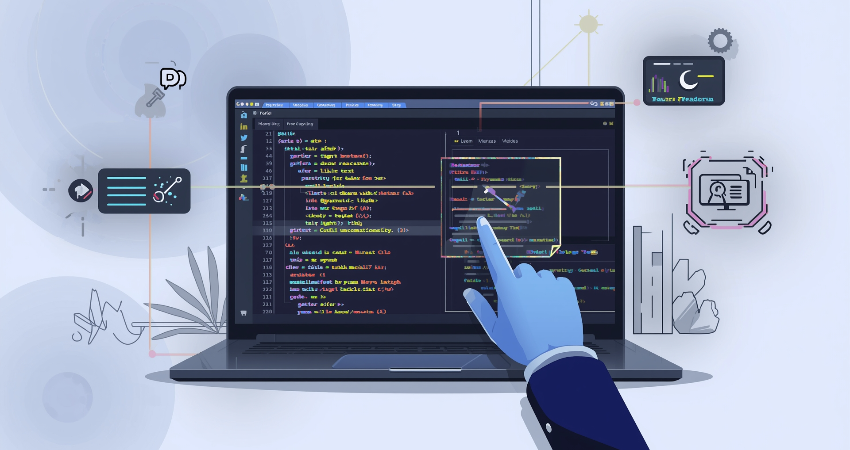
One of the frequent phenomena of front end accessibility problems is how to apply semantic HTML appropriately; it is a challenge that full-stack developers face. Developers tend to rely mostly on <div> and <span> for layout and styling purposes, completely forgetting that the structural semantics has to inform meaning through approaches of reading that are built from methodologies much smaller than expectations of semantic construing in content. For example, a third issue would be use of common tags <header>, <nav>, <main>, or <footer>, which would naturally confuse screen readers interpreting these as pages to users having no understanding of visually impaired persons. There would be great confusion for screen reader users in navigating by skipping heading levels or using them inconsistently.
Yet another closely related point issues with interactive components: For example, the creator of a button or control might create it within their markup without using the <button> element, which is supposed to be accessible by default. Generally, without proper semantic roles or ARIA attributes, a screen reader fails to announce functionality and would leave a user unable to interact with the control. Full-stack developers should imbue all elements with clear semantic integrity, ensuring that when viewed, the content is easy to understand as well as understandable. Education has to recur in enabling the individual’s relationship with the environment and providing a differing angle through which interaction is realized and perceived.
Keyboard Navigation and Focus Management
All interactive components need to be fully accessible through the keyboard. Most of the people suffering from motor impairments or those not being able to use a mouse will depend greatly on their keyboards, switch devices, and other assistive tools to browse through websites. If developers do not take care to implement the focus properly, users get entangled in some components like modals, dropdowns, or carousels. An example would be a modal that opens but the focus continues to fall on elements outside that modal, meaning that the modal is non-existent as far as a screen reader user is concerned.
These indicators are also necessary. Default visible outlines indicate which current focus is on an object within browsers. However, many such developers de-activate these visible focus indicators because they are not in their favor when it comes to appearance and result in leaving users disoriented. Visibility focus and logical tab order, as well as shortcuts, are part and parcel of this challenge. Full Stack Developers must juggle between realities of aesthetics and accessibility, ensuring that interfaces remain usable by all, regardless of input. In many cases, this requires working with the designers and putting them through rigorous testing across devices and assistive technologies.
Back-End Accessibility Challenges
Accessible Error Handling and Messaging
The back-end systems are of paramount importance concerning accessibility; in this case, especially regarding forms and error-handling procedures. The disabled find it challenging when messages are ambiguous, misplaced, or when a screen reader cannot understand them. For example, indicating an error only using color (for example, red outlines around a field) excludes individuals with visual impairments. It is, therefore, imperative for full-stack developers to programmatically attach the error messages to the form fields in such a way that they are unambiguously sent out as a text message.
Nonetheless, live validation carries other challenges. Prabhupada generally said that usability is enhanced with the live feedback, but it could potentially fail silently, which would not report errors to the user with assistive technologies, unfortunately, added to the validation poorly done. Alerts and error states should always be propagated through ARIA live regions or another mechanism. Backend validation logic must support rather than replace front-end verifications-in errors. Addressing these challenges will ensure that persons with disabilities will not face barriers while executing these important tasks like registration, logging in, and checking out.
Authentication and Security Flows
Authentication systems such as CAPTCHAs, multi-factor authentication, and login flows pose significant accessibility barriers, especially to people with disabilities. Typical impaired users cannot decode most traditional CAPTCHAs that rely heavily on a distorted text image. Audio alternatives are there but sometimes just as bad. Full-stack developers should provide alternatives that are accessible like logic-based CAPTCHAs or third-party solutions that balance security with inclusivity.
Multi-factor authentication could take it another notch higher is whether only SMS verification would wave goodbye to users who cannot access the mobile device or rely highly on screen readers. Multiple verification options like email links or authenticator apps should be available for developers to consider diverse needs. It calls for creativity and knowledge of how different disabilities interact with technology to ensure full accessibility in authentication flows. Failure to address these issues may end up causing users to be locked out from even gaining access to services, let alone the debt resources.
Testing and Maintaining Accessibility
Automated and Manual Testing
A massive challenge in the path of full-stack developers is the fact that they have to test for accessibility without having a tool that can guarantee full compliance. Automated testing tools like Axe, Lighthouse, or WAVE can unearth many trivial issues like the absence of alternate text or low color contrast. Still, they cannot evaluate usability for real users with disabilities. This is precisely why manual testing becomes equally important. Developers should put their applications through testing on screen-readers such as NVDA or VoiceOver, keyboard navigation only, and simulation of different impairments to find hidden problems.
Tools execute machines in a missed out move. Scalable would be a new word in such cases, that may be, large projects require such frequency of deployments. Well, one fine example is their integration into the CI/CD pipeline, for early warnings in the development stage. A complete other angle would be if anything is considered only by a human tester, be that making sense of error messages, logical navigation, and expected behavior of an interactive component. A full-stack developer, therefore, would perform both automated tests and human testing to enforce inclusivity and enable create applications with higher reliability. Continuous testing is to be part of the cycle since testing is never a one-time affair.
Continuous Accessibility in Agile Environments
In fast-paced development environments, accessibility often takes a backseat in favor of speed. Quick iterations are a hallmark of Agile and DevOps methodologies, and this belated approach to accessibility compromises all goals of these methodologies. Full-stack developers confront the challenge of integrating accessibility into all stages of the development process-planning, designing, coding, and deployment. This means writing accessibility acceptance criteria for user stories, conducting accessibility reviews during code reviews, and ensuring that accessibility testing is included in the Definition of Done.
Agita for accessibility is a learning process. It is very clear that the principles and practices related to media and environments are quite variable; thus, the nature of media itself, when viewed from several perspectives, undergoes drastic change. Walking in the shoes of the developers, one should be concerned about the WCAG, built-in browser support, and novel assistive technologies. This helps share the pressure on accessibility specialists, designers, and QA testers by establishing accessibility as a part of the whole situation for responsibility. Undoubtedly, the important challenge is to create as many features as possible; however, most importantly, this entails creating an environment where accessibility is considered a facet of quality, instead of being nice-to-have.
Conclusion
From a technical paradigmatic standpoint, accessibility challenges extend to culture. On the front end, semantic HTML and management of focus can facilitate an inclusive digital experience. In accessible error handling and authentication on the back end of application development, several pitfalls arise for developers. Testing accessibility across devices, browsers, and assistive technologies is another complexity amid these challenges, especially within agile studios where speed has become a greater priority over quality. Potentials of these most challenging places must be conquered for not only the sake of compliance but also inclusivity, user satisfaction, and business success.
As for full-stack developers, accessibility is not merely a checklist item. It must inform every decision made in the course of development. By taking on these added challenges, developers can code applications with a level playing field in mind. Accessibility then becomes the variable that allows any digital experience intersecting with human ability to be accessed by all; it is one of the most important responsibilities in software development today. When accessibility is taken into account, it always becomes a win-win situation among all users: developing interfaces that are intuitive, effective, and fun for everyone.